
If you're writing software that talks to vSphere or Proxmox VE, you've hit this wall: there's no easy way to develop against a real cluster on your laptop, and your CI pipeline can't reasonably spin up hardware for every PR. You end up either (a) testing manually against a shared lab cluster that breaks for everyone when one engineer typos a maintenance-mode toggle, or (b) writing only unit tests with hand-crafted JSON fixtures that pass forever while production silently regresses on the wire format.
There's a third option: in-process simulators that speak the real APIs. This post covers the two we use to build OpIntel — vcsim for vSphere and mock-pve-api for Proxmox — including real bugs each one has surfaced and the gotchas you'll trip over.
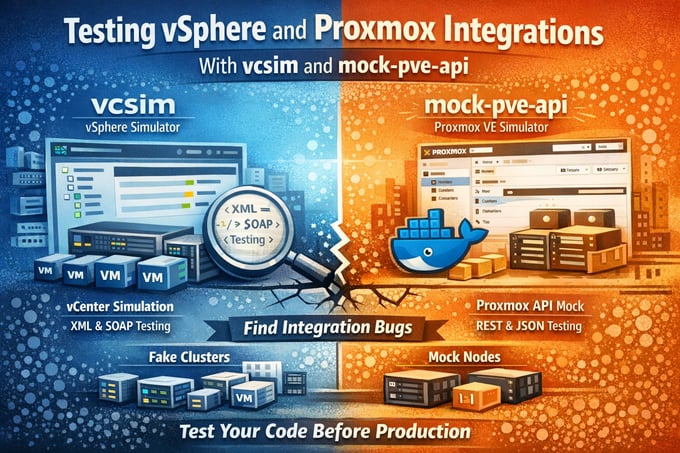
TL;DR
- For vSphere:
simulator.VPX()from govmomi. Free, fast, in-process, no Docker. Scale up viamodel.Datacenter/Cluster/Host/Machine. - For Proxmox:
ghcr.io/jrjsmrtn/mock-pve-api. Docker image, two default nodes, create VMs/CTs over the API, expect a few endpoint gaps and add fallbacks. - Gate the suite behind
-tags=integrationso unit tests stay fast. - Both will surface real wire-format bugs the first time you run them against your client. Budget time for that — it's the point.
vcsim — vSphere simulator that ships with govmomi
vcsim is a fully-featured vCenter simulator built into the govmomi Go SDK. It speaks SOAP, hosts a self-signed TLS endpoint, simulates the property collector, and supports power-on, snapshots, vMotion, alarms, performance counters, and most of the vim25 surface area. It's the same library every Go-based vSphere tool already imports, so adding the simulator is import .../simulator.
Spinning up a realistic cluster
The minimum is one line:
model := simulator.VPX()    // VPX = vCenter; ESX = standalone host
model.Create()
server := model.Service.NewServer()
defer server.Close()

// server.URL is now https://user:pass@127.0.0.1:<random-port>/sdk
But simulator.VPX() defaults are tiny (1 DC, 1 cluster, 2 hosts). To populate dashboards or stress-test inventory walks, override the model:
model := simulator.VPX()
model.Datacenter = 5    // 5 datacenters
model.Cluster = 12      // 12 clusters per DC
model.Host = 5          // 5 hosts per cluster
model.Machine = 60      // 60 VMs per cluster
model.Datastore = 5
model.Autostart = true  // power on VMs at create time
That's 5 × 60 × 12 = 3600 VMs across 300 hosts, all returning QuickStats and PerfCounter data. On a recent laptop, model creation takes ~5 seconds; the resulting in-memory state happily serves a five-thousand-VM collector cycle in under 15 seconds.
.png?width=680&height=507&name=image%20(2).png)
If you don't want to write any glue code, govmomi also ships vcsim as a standalone binary with the same model knobs as CLI flags:
go install github.com/vmware/govmomi/vcsim@latest
vcsim -dc 5 -cluster 12 -host 5 -vm 60 -autostart -l 0.0.0.0:8989
# → export GOVC_URL=https://user:pass@127.0.0.1:8989/sdk GOVC_INSECURE=true …
Or run it without installing:
go run github.com/vmware/govmomi/vcsim@latest -dc 2 -cluster 4 -vm 40
The standalone binary doesn't power on VMs by default. If you want a more realistic mixed running/stopped state for dashboards, write a 30-line Go wrapper around simulator.VPX() that calls vm.PowerOn(ctx) on a percentage of guests after model.Create() — pattern is the same as the inline snippet above.
What vcsim is great at
- Wire-format coverage. Every SOAP envelope, fault payload, and property-collector update goes over real HTTP. Bugs in your XML unmarshaling that pure unit tests would never catch surface immediately.
- Performance counters. vcsim auto-generates plausible CPU/memory/disk/network numbers. Charts and heatmaps populate without any extra setup.
- Task simulation.
vm.PowerOn(ctx),host.EnterMaintenanceMode(ctx), and the like all return realTaskobjects you can.Wait()on. Good for testing your UPID/task tracking logic. - Fast. No JVM, no database, no API rate limits.
Where vcsim falls short
- vMotion is mostly cosmetic. The simulator marks the VM as relocated but doesn't simulate the cost or duration realistically.
- Some advanced read paths return empty. vSAN health, vCLS-related bookkeeping, certain extension manager calls — all pass through but return little.
- Alarms are static. No alarm engine — alarms only fire if you manually trigger them.
- vcsim itself can have bugs that are subtler than yours. It once shipped a release where
host.summary.config.product.fullNamewas empty, breaking inventory display in any tool that relied on it.
Using vcsim in tests
Two patterns work well:
// Pattern A: per-test simulator (best for isolated unit-style tests)
func TestVMPowerOn(t *testing.T) {
    simulator.Test(func(ctx context.Context, c *vim25.Client) {
        finder := find.NewFinder(c)
        vm, _ := finder.VirtualMachine(ctx, "DC0_C0_RP0_VM0")
        task, _ := vm.PowerOn(ctx)
        if err := task.Wait(ctx); err != nil {
            t.Fatal(err)
        }
    })
}

// Pattern B: shared simulator via TestMain (best for integration suites
// that exercise the same large inventory across many tests)
var sharedURL string
func TestMain(m *testing.M) {
    model := simulator.VPX()
    model.Cluster = 8
    model.Create()
    s := model.Service.NewServer()
    sharedURL = s.URL.String()
    code := m.Run()
    s.Close()
    os.Exit(code)
}
mock-pve-api — Proxmox VE simulator in a Docker image
The Proxmox ecosystem doesn't have a govmomi-style first-party simulator, but ghcr.io/jrjsmrtn/mock-pve-api is the de-facto community option. It's a Python image that responds to a useful subset of the PVE 8.x REST API: nodes, storage, qemu, lxc, snapshots, migrate, backup jobs, firewall rules, SDN zones, cluster resources.
docker run --rm -d --name mock-pve -p 8006:8006 ghcr.io/jrjsmrtn/mock-pve-api:latest
curl -sk https://127.0.0.1:8006/api2/json/version
# {"data":{"version":"8.3","release":"8.3","keyboard":"en-us","repoid":"f123456d"}}
The mock ships with two nodes (pve-node1, pve-node2) and zero guests, but you can POST /nodes/pve-node1/qemu and POST /nodes/pve-node1/lxc to create VMs and containers in its in-memory state. Snapshots, power ops, migration, backup-create — they all return realistic UPIDs.
What mock-pve-api is great at
- Wire format under TLS. Self-signed cert, real HTTP, real headers. This is the test surface you actually need.
- Auth header semantics. Catches mistakes like sending an API token as a
Cookieinstead ofAuthorization: PVEAPIToken=…. - UPID lifecycle. Most mutating endpoints return UPIDs and the task-status endpoint resolves them with
endtime/exitstatusset, so yourWaitForTaskpolling logic actually terminates.
Real bugs it surfaced for us
When we wired mock-pve-api into the OpIntel test suite, two production bugs surfaced on the first run:
- Wrong auth header for PVE API tokens. Our client was sending
Authorization: PVE:user@realm!tokenid=secret. Real PVE expectsAuthorization: PVEAPIToken=user@realm!tokenid=secret. Token-auth was completely broken in production; ticket-auth happened to work, so nobody noticed. - JSON unmarshal of
nodeStatus.LoadAvg. PVE returns load averages as strings (["0.15", "0.08", "0.01"]); mock returned floats. Our struct typed it as[]float64, so real PVE failed to parse. CustomUnmarshalJSONfixed both shapes.
We later added the same pattern for PBS (in-process httptest instead of Docker, since there's no maintained PBS mock) and surfaced an analogous bug in the PBS auth header path.
Where mock-pve-api falls short
/cluster/resourcesdoesn't aggregate guests. Real PVE returns every node + qemu + lxc + storage in one call. The mock only returns nodes and SDN entries. If your collector treats/cluster/resourcesas the source of truth for inventory, you'll see zero VMs against the mock even after creating them. Fix: fall back to per-node/nodes/{n}/qemuand/nodes/{n}/lxcenumeration when/cluster/resourcesreturns nodes but no guests. (We added this to OpIntel; it doubles as defensive code for pre-7.x PVE.)- No
uptimeon guests. The mock omits theuptimefield from/status/current, so inventory views that infer power state from uptime show everything as "off" even afterPOST .../status/start. Workaround: have your collector emit apower_statetag derived fromstatus(running→poweredOn,stopped→poweredOff). - No Ceph, no real subscriptions. Endpoints return 404 or empty.
- State is per-container. Restart the container, you're back to two empty nodes. For demos, seed once at startup; for tests, treat each
TestMainboot as a fresh cluster.
Two patterns that pay off
1. Integration tests behind a build tag
Both simulators run easily in CI, but you don't want them in every go test ./.... Gate them:
//go:build integration

package proxmox

func TestMain(m *testing.M) {
    if _, err := exec.LookPath("docker"); err != nil {
        os.Exit(0) // skip when no docker
    }
    // start mock-pve-api on a free port, wait for /version,
    // run m.Run(), tear down container
}
make test-proxmox-integration runs them locally; a separate CI job runs them on every PR. The default unit suite stays fast and Docker-free.
2. Sims as a local demo environment
Beyond tests, both sims work as drop-in dev infrastructure. A typical stack:
# Terminal 1 — vSphere
vcsim -dc 5 -cluster 12 -host 5 -vm 60 -autostart -l 0.0.0.0:8989

# Terminal 2 — Proxmox
docker run --rm -p 8006:8006 ghcr.io/jrjsmrtn/mock-pve-api:latest

# Terminal 3 — your app, pointed at both
export VSPHERE_URL=https://127.0.0.1:8989/sdk VSPHERE_USER=user VSPHERE_PASSWORD=pass
export PROXMOX_URL=https://127.0.0.1:8006 PROXMOX_USER=root@pam PROXMOX_PASSWORD=secret
./your-collector
Two terminals plus your binary, and you have a multi-DC vSphere cluster plus a two-node Proxmox cluster on localhost. New contributors can be running the full pipeline in a minute, with no VMware ELA, no Proxmox subscription, and no shared lab to break for everyone else.
When simulators aren't enough
Sims will never replace at least one staging cluster for:
- Race conditions during real maintenance windows — vMotion stalls, storage path failover, vCenter heartbeat gaps.
- Performance characteristics under load — the sim's "5000 VMs" return data instantly; a real vCenter doesn't.
- Provider-specific quirks across versions — vCenter 7 returns fields vCenter 8 dropped, PVE 7 lacks endpoints PVE 8 added.
- Anything cert/SSO/RBAC-related — sims are permissive by design.
The right mental model: sims catch wire-format and integration bugs; the staging cluster catches behavior bugs. Use both. Don't pretend either one is sufficient on its own.